
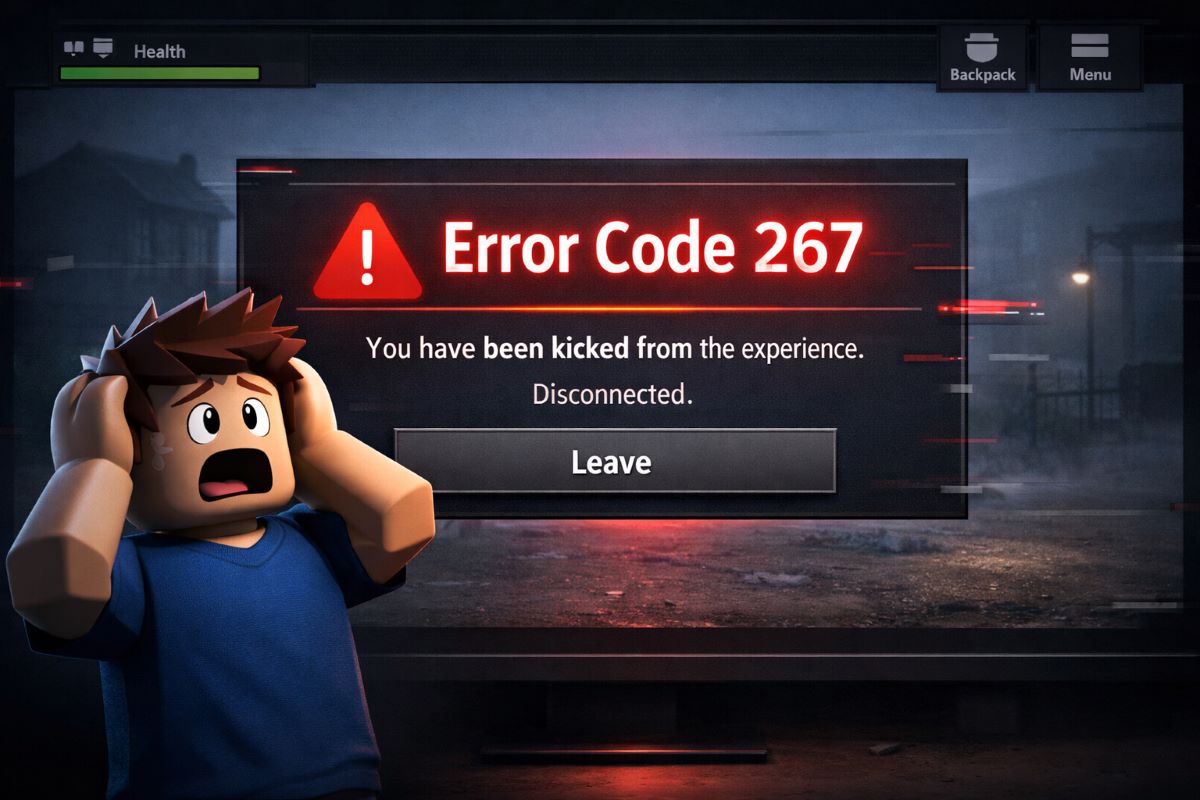
Roblox is one of the most popular online gaming platforms, attracting millions of players worldwide. But nothing kills the fun faster than a sudden Roblox error code popping up mid-game. For many players, these moments feel frustrating and even alarming, especially when they encounter the scariest Roblox error codes without any clear explanation.
From login failures to unexpected server disconnects, these issues can leave users confused and worried about their account or progress.
In this guide, we will explore the scariest Roblox error codes, explain why they occur, and provide step-by-step fixes that even beginners can follow. Understanding these scariest Roblox error codes not only helps you fix problems faster but also prevents panic when they appear again. By the end, you’ll be able to solve most common Roblox errors on your own and enjoy uninterrupted gaming.
According to Roblox Status, server outages spike during peak hours, affecting thousands of players and causing errors like error code 267, 279, and 524. Many players search for “why is Roblox not working” or “Roblox login error” every day, showing how common these scariest Roblox error codes really are.
Table of Contents
Scariest Roblox Error Codes: Error Code 267 Explained
Imagine you are about to complete a rare mission in Roblox. Suddenly, Error Code 267 appears, and you are kicked out without warning. It feels frustrating and confusing. Many players consider this one of the scariest Roblox error codes because it stops progress instantly and gives no clear reason.
This error usually happens when something goes wrong between your connection, the game, or your account permissions.
Why Error 267 Happens
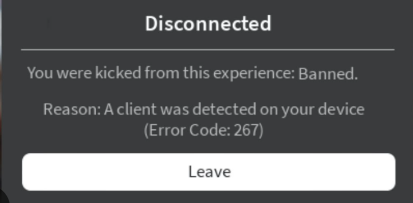
- You are kicked due to a network or connection issue
- Game scripts are blocked, outdated, or incompatible
- Your account is restricted or banned from that specific game
How to Fix Error Code 267 Roblox
- Refresh the game or restart Roblox completely
- Check your internet connection and ensure it is stable
- Switch to a different browser or reinstall Roblox
- Disable any scripts, mods, or extensions that may interfere
Pro Tip
Most of the time, this error is not permanent. However, understanding these scariest Roblox error codes helps you react quickly and avoid losing progress again.
For more advanced fixes related to game crashes and disconnections, check our guide: Roblox Keeps Crashing on PC: 7 Proven Fixes.
Error Code 279 Roblox – Server Connection Nightmare
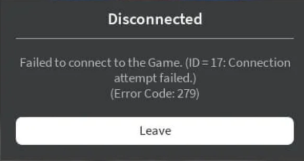
Error 279 Roblox appears when the game can’t connect to Roblox servers. This usually happens when your connection is blocked or the server is down. Many players describe this as the “game freezes forever” error.
Common Causes:
- Firewall or antivirus blocking Roblox
- Weak or fluctuating internet connection
- Roblox server downtime during peak hours
Quick Fixes:
- Allow Roblox through your firewall or antivirus
- Restart your router or switch to a wired connection for stability
- Try reconnecting during off-peak hours
Pro tip: Reducing lag and network issues can prevent repeated error codes. See How to Reduce Lag in Online Games: Complete 2026 Guide for actionable tips.
Error Code 524 Roblox – Access Denied Horror
Error 524 is frightening because it completely blocks you from joining certain games. Unlike 267 or 279, this is often a permission-based issue.
Why It Happens:
- You are banned from a private server
- Game creators restrict access to VIP members or friends only
Fixes:
- Join public servers instead of private ones
- Contact the game creator if you believe it’s a mistake
- Ensure your account meets the age or verification requirements
4. Authentication & Login Errors
Login errors are another common problem in Roblox. Two frequent issues:
- “An error was encountered during authentication Roblox”
- “An unknown error occurred. Please try again. Roblox login”
These errors can prevent you from even opening the game.
Fix Steps:
- Clear browser cache and cookies
- Reset your Roblox password
- Disable VPNs or proxies
- Ensure you are using the correct login credentials
- Contact Roblox Support if the problem persists
If you face disconnections repeatedly, our BO6 Packet Burst Fix 2026 guide can help improve network stability and prevent errors.
Other Scary Roblox Error Codes to Know
Here’s a quick overview of other common and scary Roblox error codes:
| Error Code | Meaning | Quick Fix |
| 0 | Unknown error | Restart Roblox, clear cache |
| 429 | Too many requests | Wait 10-15 mins, avoid spamming login |
| 280 | Disconnected from server | Reconnect or switch network |
| 403 | Forbidden | Check account permissions, try another server |
| 1, 285, 529 | Misc server & script errors | Update Roblox, check internet |
For server-related problems affecting multiple games, check Fortnite Servers Not Responding These tips often help Roblox too.
Tips to Avoid the Scariest Roblox Error Codes
Keeping your game error-free requires a combination of technical fixes and preventive measures.
- Always keep Roblox updated to the latest version
- Avoid running suspicious scripts or mods
- Ensure stable internet connection during gameplay
- Monitor Roblox server status before peak hours
- Backup your progress regularly
Mobile gamers can also improve network stability with tips from BGMI Review 2026: Still the King of Mobile Battle Royale.
FAQs
What is the scariest Roblox error code?
Many players say Error 267 is the scariest because it can kick players randomly and disrupt gameplay.
How do I fix error 279 Roblox?
Restart your router, check firewall settings, or switch to a wired connection.
Can Roblox error codes cause account bans?
Only certain errors like 267 may indicate in-game restrictions, but most errors don’t ban your account.
Why do I see ‘An unknown error occurred’ during login?
Usually a network or cache issue; clear your browser data or reset your password.
Are these error codes real or fake?
Codes like 267, 279, and 524 are real; some others appear due to hacks or unofficial scripts.
Can I prevent Roblox error 524?
Join public servers or ensure your account meets server permissions.
Does fixing Roblox error codes improve game performance?
Yes, resolving login and connection issues reduces crashes and improves overall gameplay stability.